Artwork Proofs
To view all of your artwork proofs, navigate to the Artwork under Projects on the left hand navigation in your Brilliant Dashboard. This will take you to a list of all the artwork proofs you have access to.
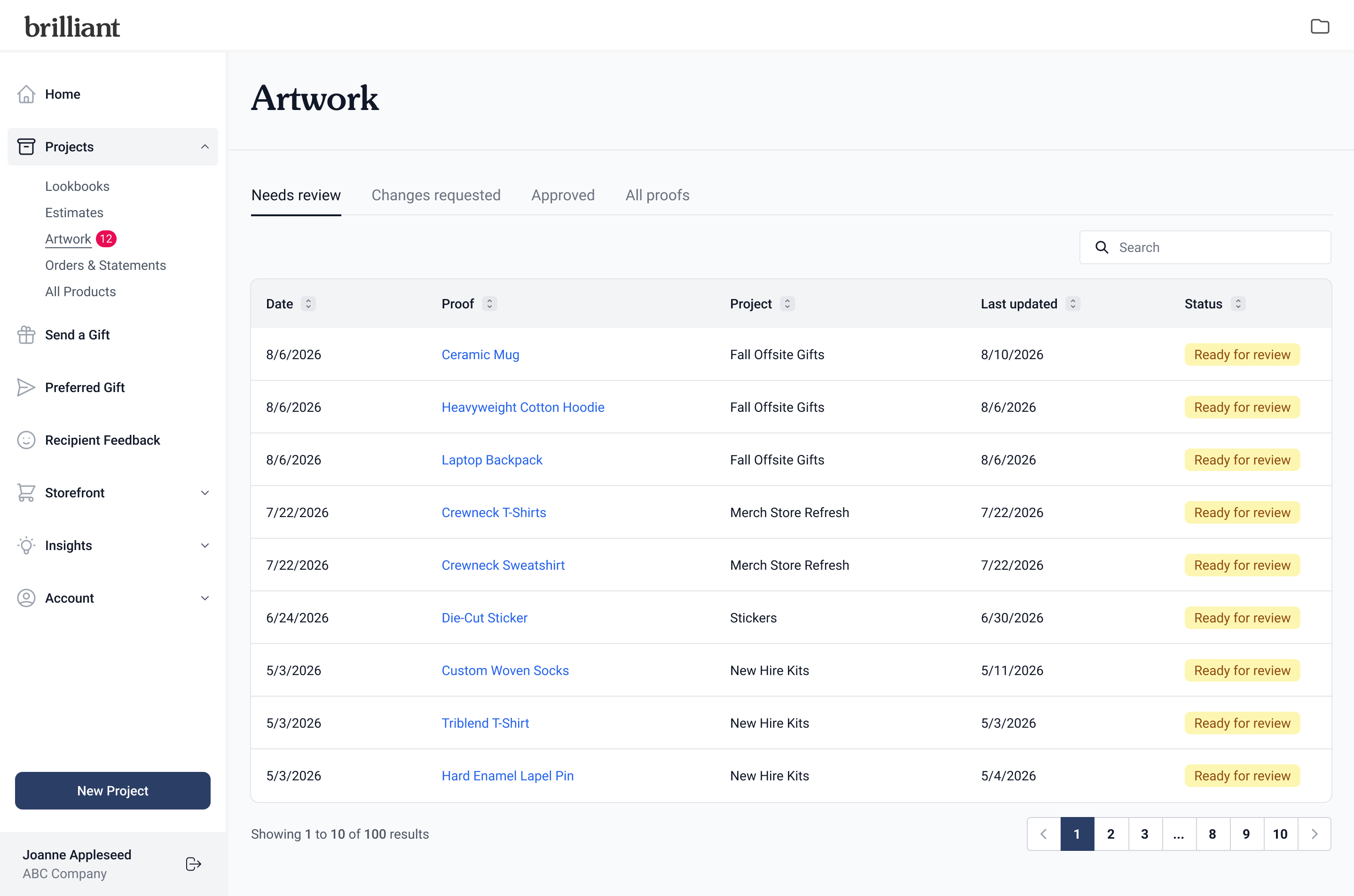
When you have artwork proofs that need review and approval, you can see a number counter next to Artwork in the left hand navigation, indicating how many artwork proofs need your attention.
Viewing the Artwork list page, you can view artwork proofs based on what Needs review, Changes requested, Approved artwork proofs, and All proofs. You can search and sort under each tab to find exactly what you are looking for. Click into any Proof to view details for that specific artwork proof.
[insert screenshot of proof page]
Artwork Proof Page
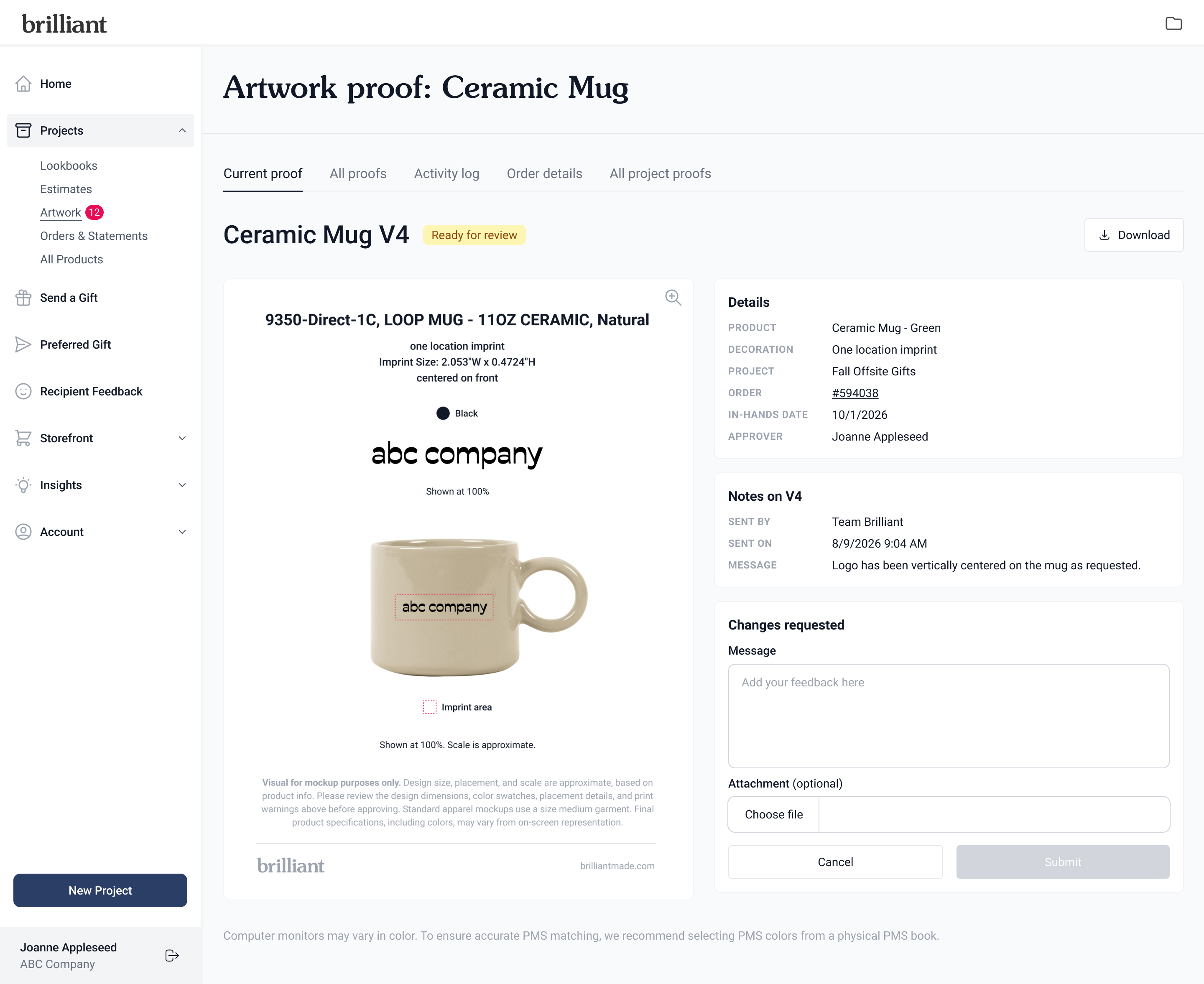
The Artwork proof page allows you to view the Current proof, view All proofs, see the Activity log, and view All project proofs.
Current Proof
The Current proof page allows you to review and approve an artwork proof. It also features:
Ability to hover and zoom on the artwork proof
Download the artwork proof as a PDF
See product, decoration, project, order details
Notes from Team Brilliant when the proof was sent over
Click Approve to approve the artwork proof and get it ready for production.
Click Request changes to share feedback and attach a file. This will go right to the team to review and make changes to the proof.
All Proofs
The All proofs page allows you to see all proofs for the order. Each proof has a version attached, so it's easy to see previous proofs that you have requested changes on.
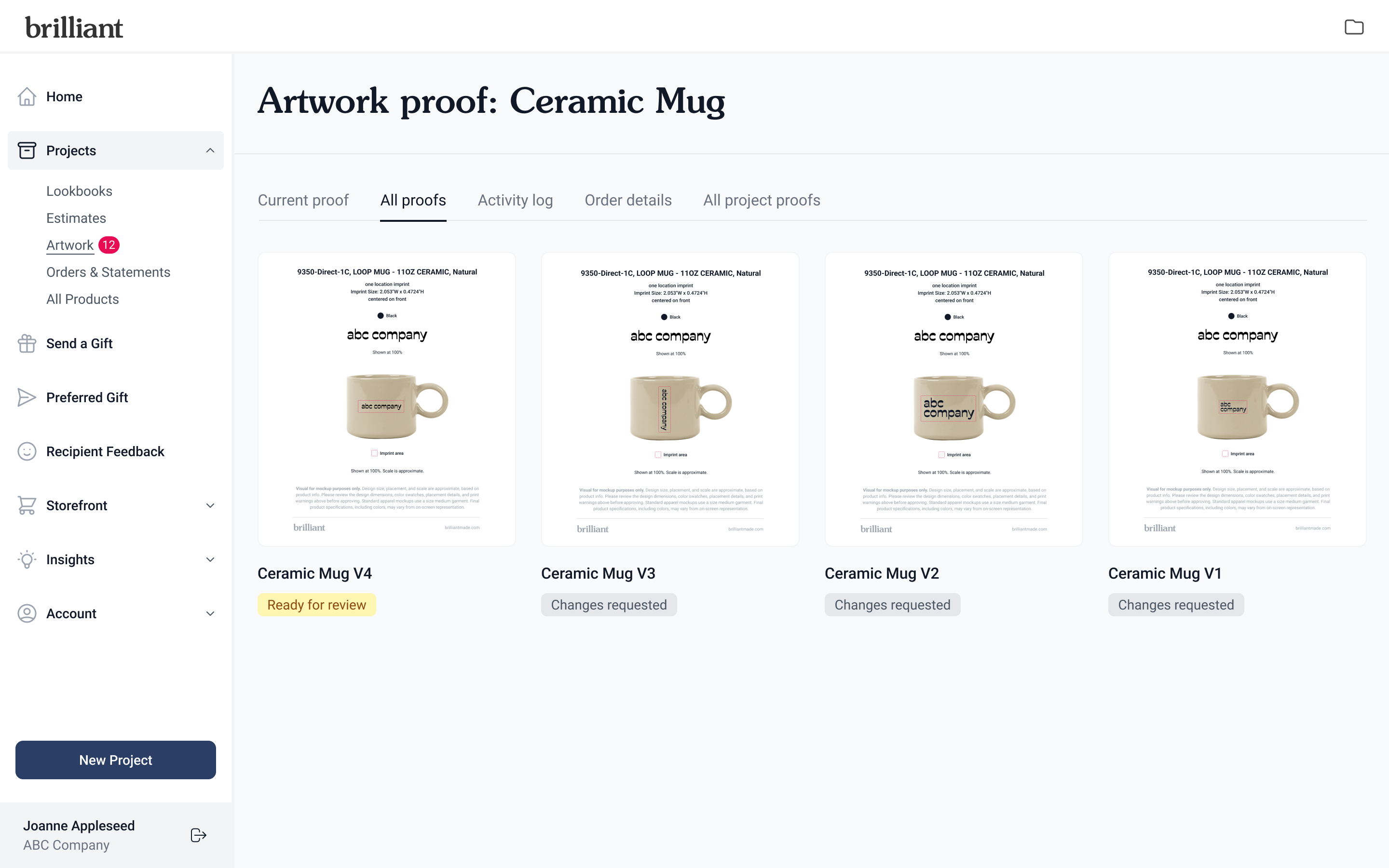
Clicking on a proof from this page opens the proof in a modal view with the same options as the Current proof page.
Ability to hover and zoom on the artwork proof
Download the artwork proof as a PDF
See product, decoration, project, order details
Notes from Team Brilliant when the proof was sent over
Notes from you when requested changes were submitted
Who approved the proof
Activity Log
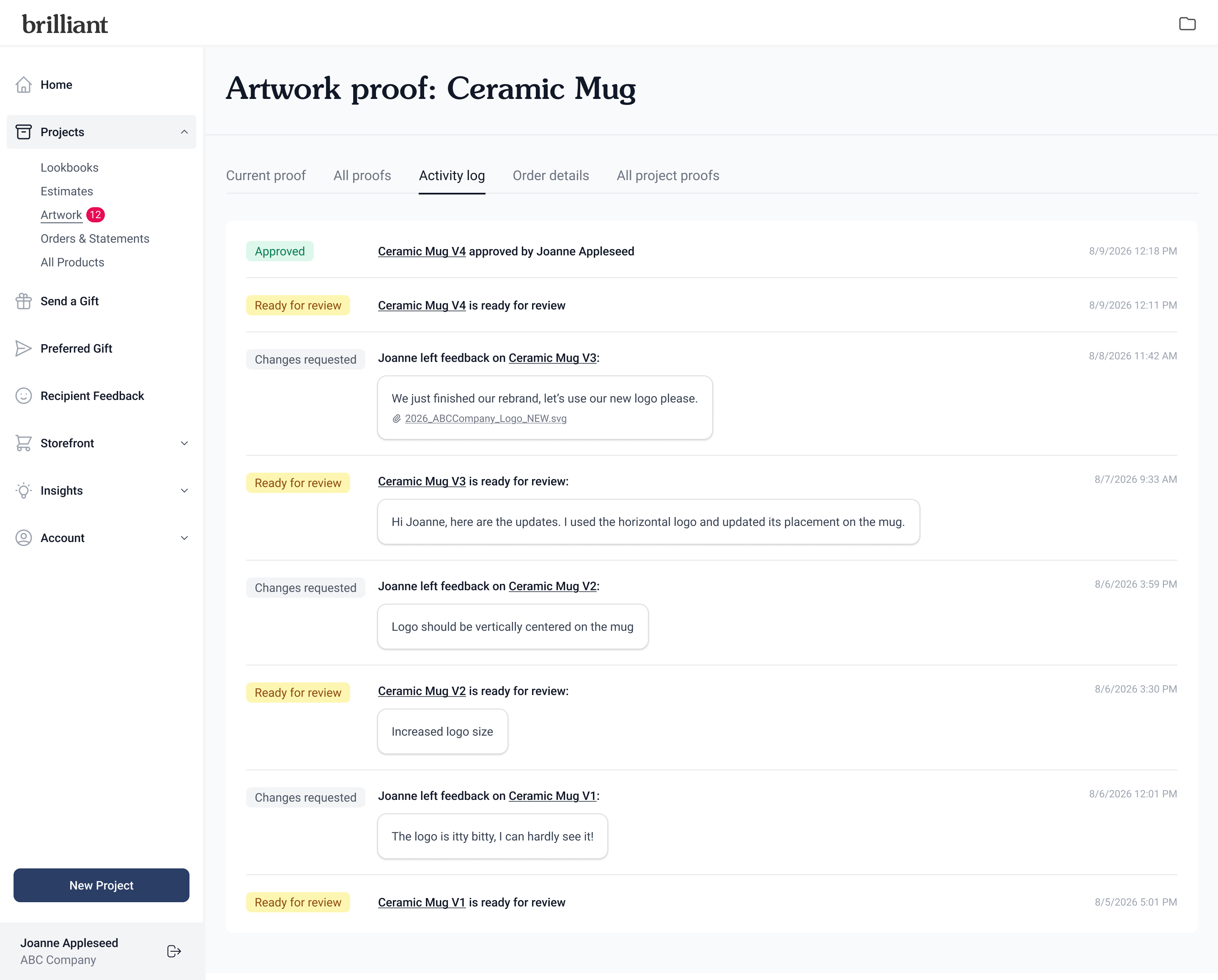
The Activity log page is where you can see the timeline activity across proofs in one space. This includes:
When and who approved or requested changes on a proof
When a proof is ready for review and any notes from Team Brilliant
All Project Proofs
The All project proofs is where you can view all proofs tied to a project.
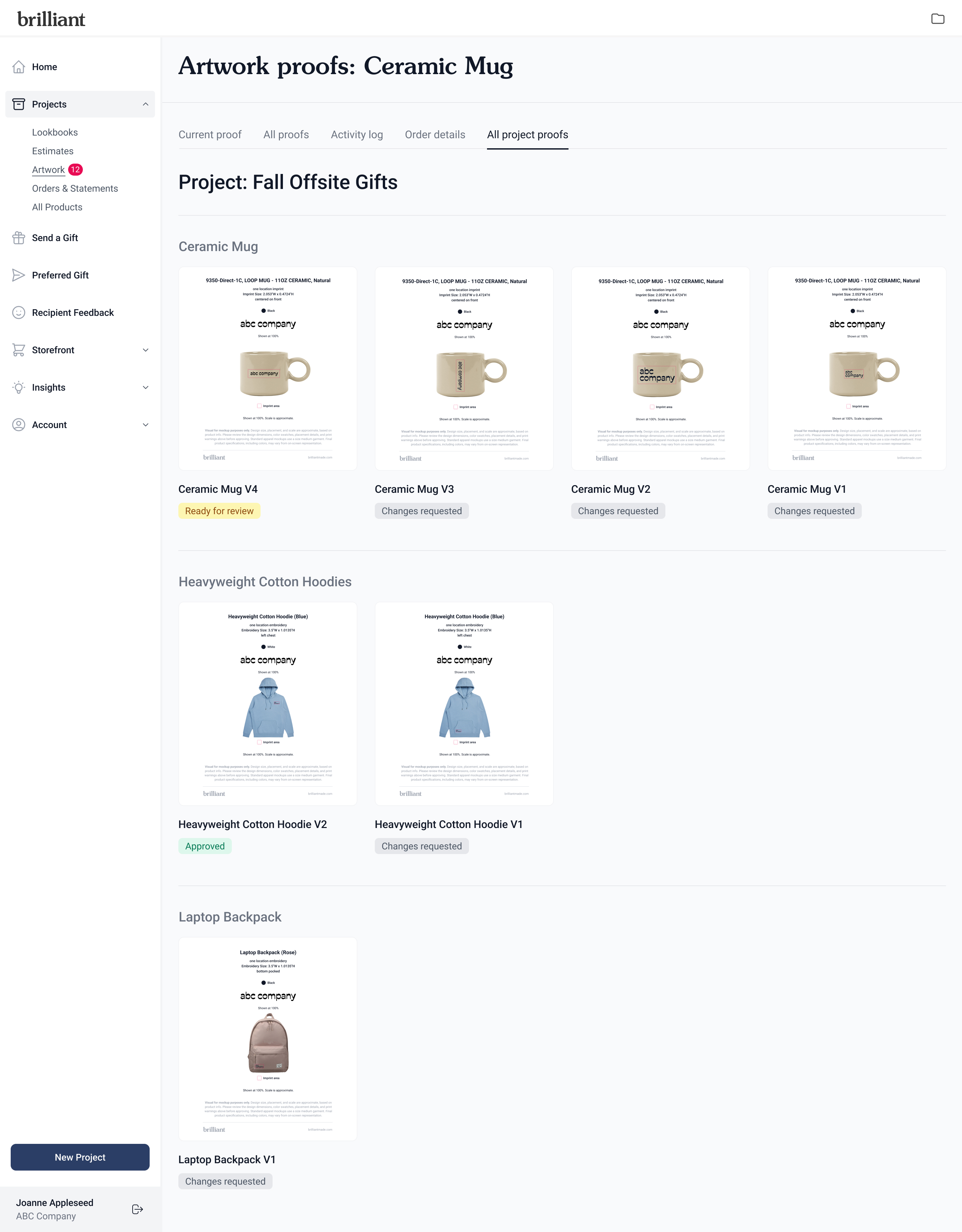
Clicking on a proof from this page opens the proof in a modal view with the same options as the Current proof page.
Ability to hover and zoom on the artwork proof
Download the artwork proof as a PDF
See product, decoration, project, order details
Notes from Team Brilliant when the proof was sent over
Notes from you when requested changes were submitted
Who approved the proof