UKG Ready
This guide assumes you have already communicated with Brilliant to request a UKG Ready automation for your account.
Before integrating your UKG Ready account with Brilliant, you must first set up your UKG Ready instance to expose specific data to Brilliant. After you set up UKG Ready, you can connect your UKG Ready account to Brilliant to enable the integration.
Setup Instructions
In order for Brilliant Automations to connect to your UKG Ready instance, you will need to set up an Oauth Application in UKG Ready and provide Brilliant with the following information. Please take note of these values as you go through the set up process.
Client ID - your OAuth application’s client identifier
Client Secret - your OAuth application’s secret key
Company ID - your unique company identifier in UKG
Hostname - your UKG Ready instance’s hostname (e.g., secure.us.rdy.ukg)
UKG Ready Setup
Log in to UKG Ready and navigate to the “Settings” page > then “Global Setup” and then click “Company Setup”
From the "Company Setup" page, you should find your hostname under the domain's URL login and the company ID. You should save these values as you will need them to connect to Brilliant.
Note: if you are not able to find the company id on the setup page you may be able to find it in the URL after ta/ and before .home. If you are still not able to find the value you can go to My team > My employees > Employee info > Select columns > add "Company ID" and see the id reflected in the employee table.
From here you should find the OAuth Applications widget and click it.
For type select "Machine to Machine"
Click "Generate" to create your Client ID and Client Secret. You should save these values as you will need them to connect to Brilliant.
Permissions
Brilliant will use UKG Ready's Employee APIs which use a separate security profile item to control access.
Go to Modules -> REST API Resources -> Employees -> View
Enable view access
For Account Groups, select the employees you'd like Brilliant to access. For example, selecting All Company Employees enables Brilliant to retrieve employee records across the company.
Connect Brilliant
After you have followed the steps above to setup your UKG Ready instance, you are ready to integrate with Brilliant by following the steps below:
Login to Brilliant using your email address and password.
On the lefthand side of the page, navigate to the Automations page of the store you wish to connect the automation to via Storefront -> Your Store to Connect -> Automations.
Find the UKG Ready automation you requested from Brilliant and click Connect. From here, you will be brought to a new tab.
In the authentication screen:
For Brilliant, the account will be added for you.
For UKG Ready, you will need the Client ID, Client Secret, Company ID, and Hostname obtained from the steps above.
Click Next to configure the automation.
Preferred Gift Configuration
For the automation, you will need to fill out the following fields on the Preferred Gift Configuration screen:
Preferred Gift Campaign: This is the Preferred Gift Campaign you want to add new hires employees to. This field is for new hires only and will not appear for anniversaries.
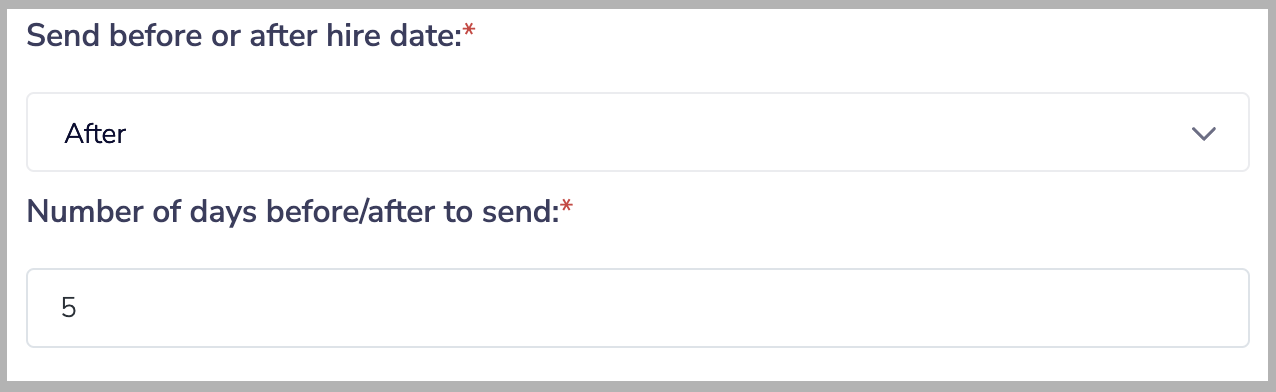
Send before or after hire date: If you would like to send gifts a specified number of days before or after their hire or anniversary date rather than exactly on that date, the automation can be configured to do so. This setting determines if the Preferred Gift will be sent before or after an employee's hire or anniversary date. If you want to send the Preferred Gift on their exact hire or anniversary date, you can choose either of these options.
Number of days before/after to send: If you chose to send the Preferred Gift before an employee's hire or anniversary date, this setting determines how many days before that date the Preferred Gift will be sent. If you chose to send the gift after their hire or anniversary date, this determines how many days after. If you want to send the gift the day an employee is hired or the day of their anniversary, you can leave this setting at 0. For example, if you wanted to send a Preferred Gift to new hires 5 days after their start date, the end result for these settings would look like this:
Hour of day (CST) to send: The hour of the day in CST the automation will call the UKG Ready API and send gifts.