Stripe Climate
This guide assumes you have already communicated with Brilliant to set up a Stripe automation for your account and that you have an active Stripe account with a Stripe balance.
Create Stripe API key
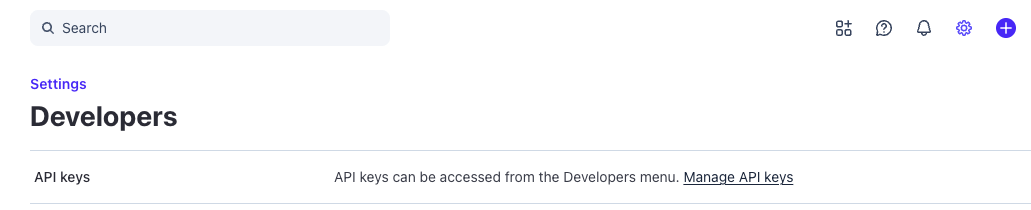
From the homepage, go to settings

Go to 'Developers' under the Personal settings

Click manage API Keys and then Create restricted key

A list of permissions will be shown during the creation process. Ensure the two following permissions are included:
Climate Orders: Write
Webhook Endpoints: Write


After you save the key take note of it as you will need in a following step.
Connect Brilliant
After we have enabled the Stripe automation for your account, your Brilliant team will reach out to let you know you're ready for the final leg of your Stripe automation setup. You can now integrate with Brilliant by following the steps below:
Login to Brilliant using your email address and password.
On the lefthand side of the page, navigate to the Automations page of the store you wish to connect the automation to via Storefront -> Your Store to Connect -> Automations.
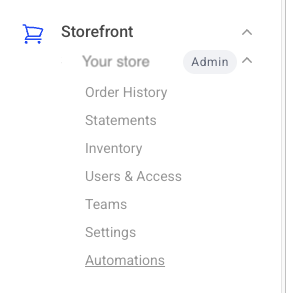
Find the Stripe automation tile and click "Connect". From here, you will be brought to a new tab where you can provide authentication and configure the automation.
You will be asked for your account information for Stripe. Please enter the Restricted API key.