Order Details
To view the details of an order under the Orders & Statements page, users can click the Details link.
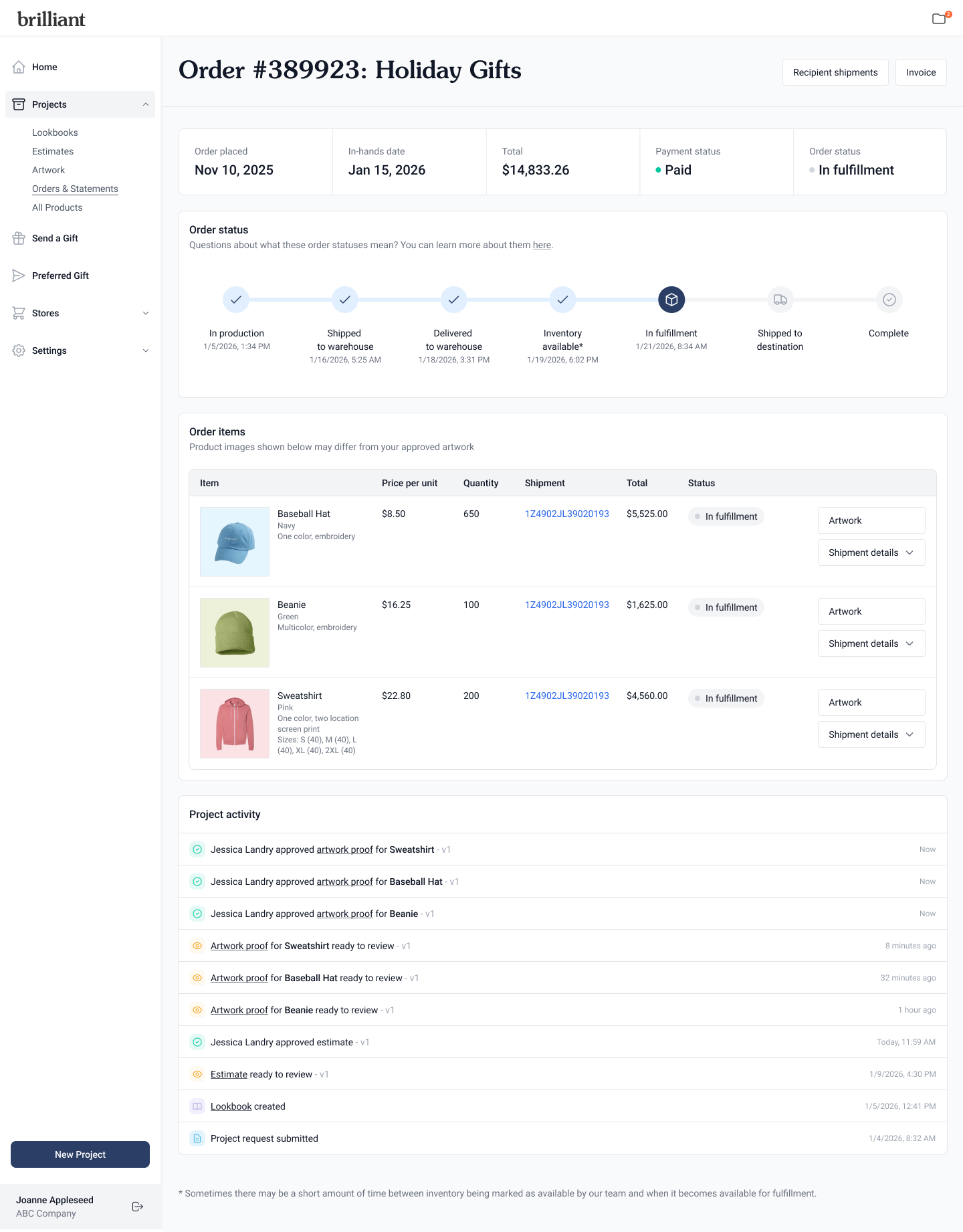
Order overview
View the order placed date, requested in-hands date, amount total, payment status, and order status at a glance.
Order status
This is the status tracker of an order, showing the status steps and time stamps. Each Purpose type has its own set of statuses:
Kit & fulfill:
In production: Production of items begins
Shipped to warehouse: Items are shipped to the Brilliant warehouse
Delivered to warehouse: Items are delivered to the Brilliant warehouse
Inventory available: Items are checked into the warehouse and available for fulfillment
In fulfillment: Kits with all items are in the process of being assembled
Shipped to destination: Kits are shipped to recipients with real-time tracking
You can enable email or Slack notifications when gifts are delivered.
Complete: Kits are delivered to recipients
Storefront order:
In production: Production of items begins
Shipped to warehouse: Items are shipped to the Brilliant warehouse
Delivered to warehouse: Items are delivered to the Brilliant warehouse
Inventory available: Items are checked into the warehouse
Complete: Items are available for fulfillment in the warehouse
Direct ship:
In production: Production of items begins
Shipped to destination: Items are shipped directly to you or designated address
Complete: Items are delivered to you or designated address
Order items
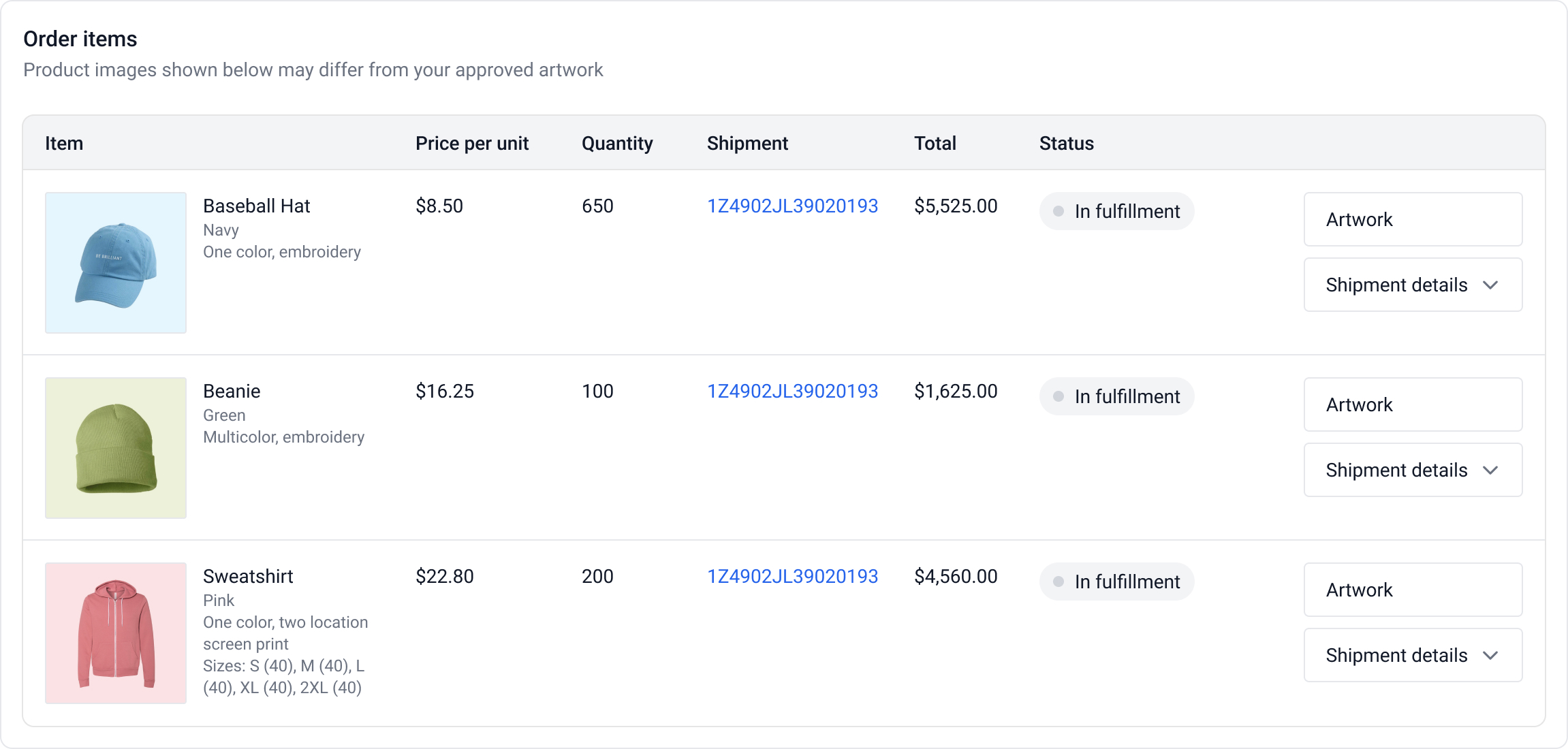
A list of all items in the order. For each item users can see the product item image, item name and details, unit price, quantity, shipment tracking number, total, and item status.
Artwork
Clicking the Artwork button of an order item takes the user to the most recent artwork proof.
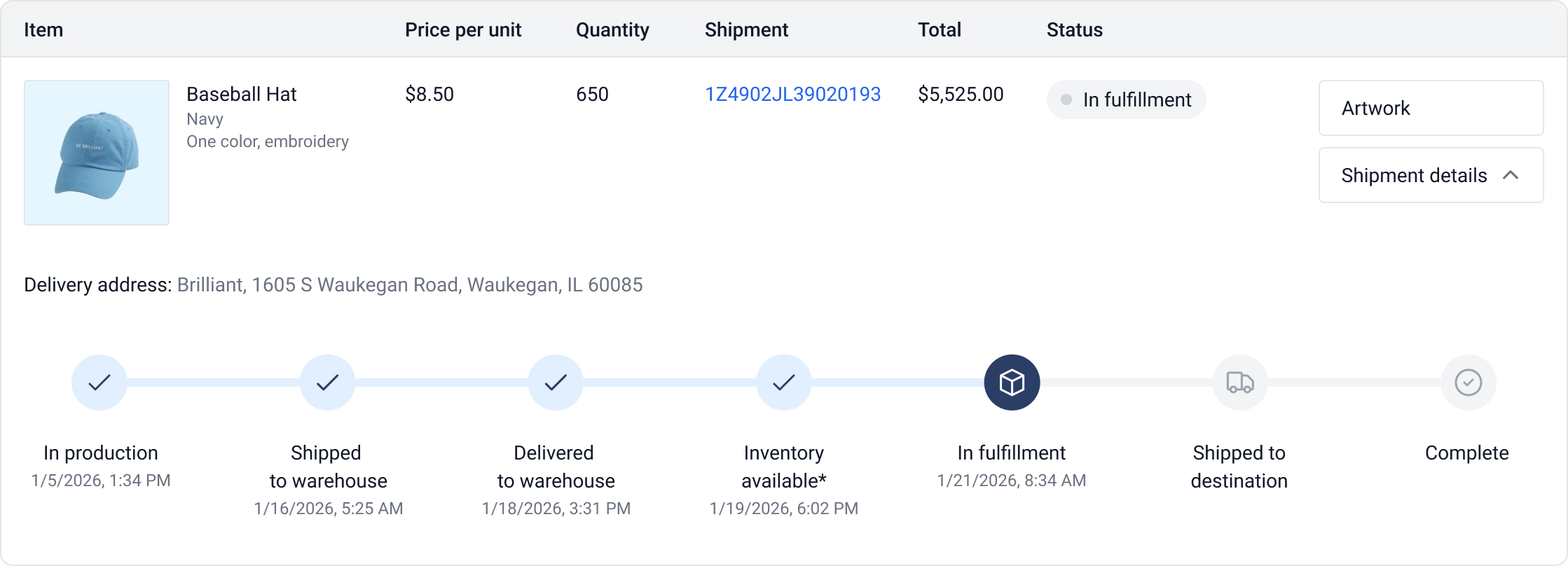
Shipment details
Clicking the Shipment details displays an expanded status tracker view for the item and the delivery address.
Project activity
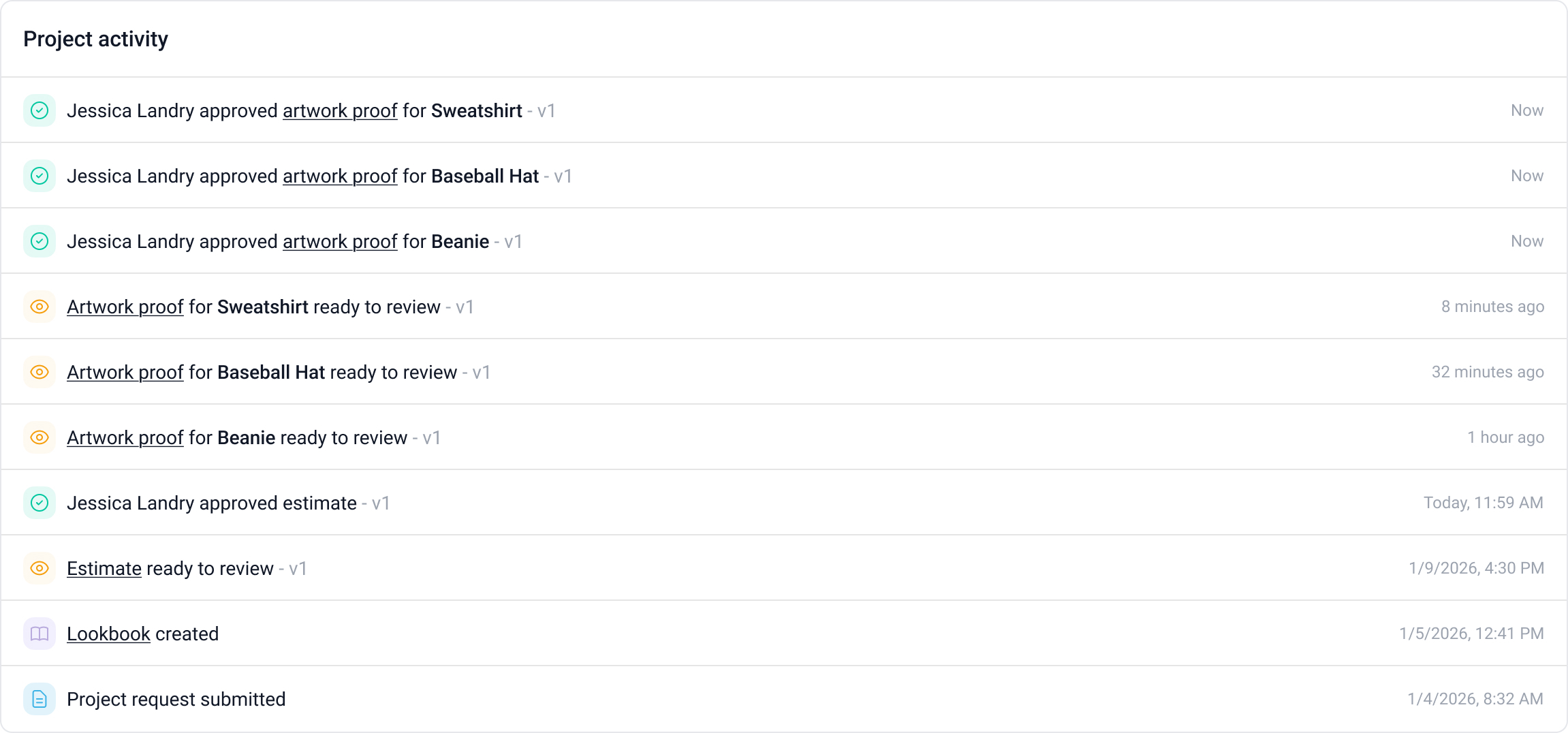
At the bottom of the page, users can view a running chronological log that shows key milestones such as project request submitted, lookbook created, estimate ready to review, estimate approved, artwork proofs ready to review, and artwork proofs approved.
Recipient shipments
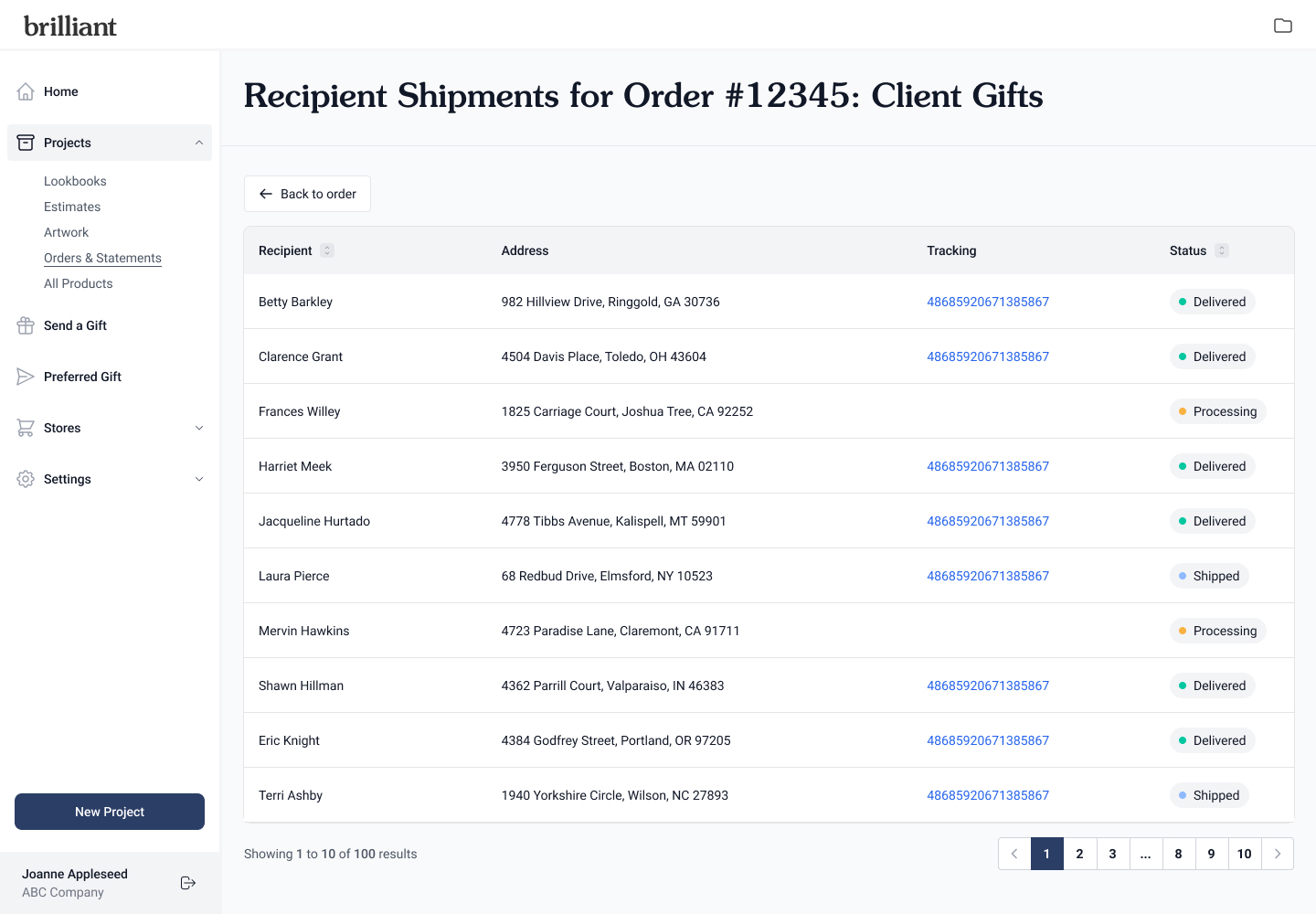
For Kit & fulfill orders, users will see the Recipient shipments button at the top right of the page. Clicking that button navigates the users to a page that lists every recipient, recipient address, shipment tracking number, and shipment status.
Invoice
Clicking the Invoice button at the top right of the page opens the invoice for the order in a new browser tab.