Email Verification for Recipient Submissions on Preferred Gift Campaigns
When building out your Preferred Gift Campaign, there are additional optional controls you can put in place on who can submit responses. Your Brilliant Account Manager can help coordinate setting up email verification as part of your implementation.
After email verification is set up for a Preferred Gift Campaign, recipients will receive an email after submitting their form. This email will contain a code that they will use to verify their email address on the post-submission form page.
Once their email address has been verified. The submission will be placed as an order for fulfillment.
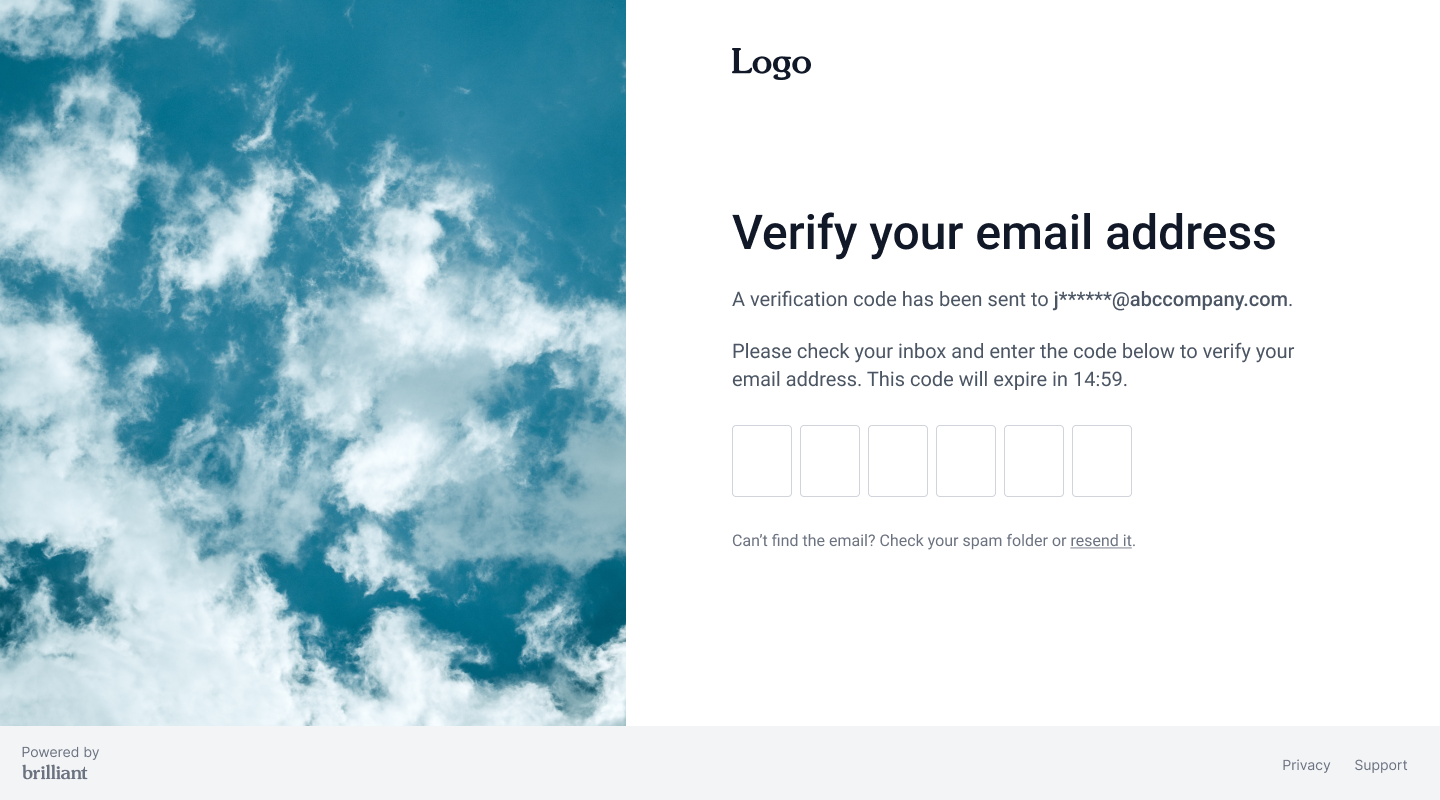
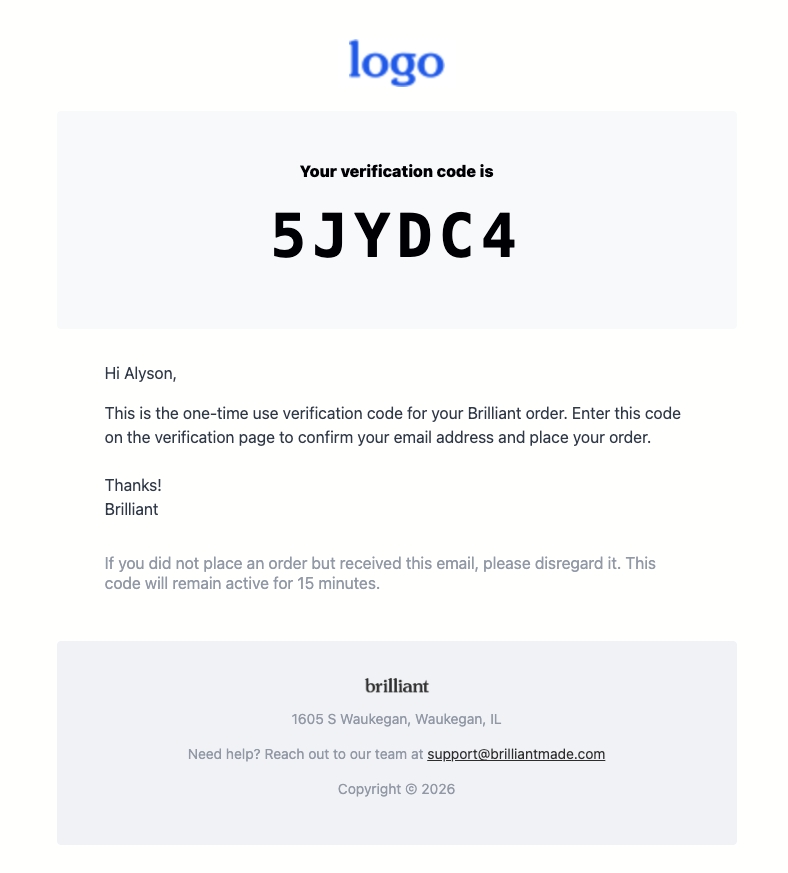
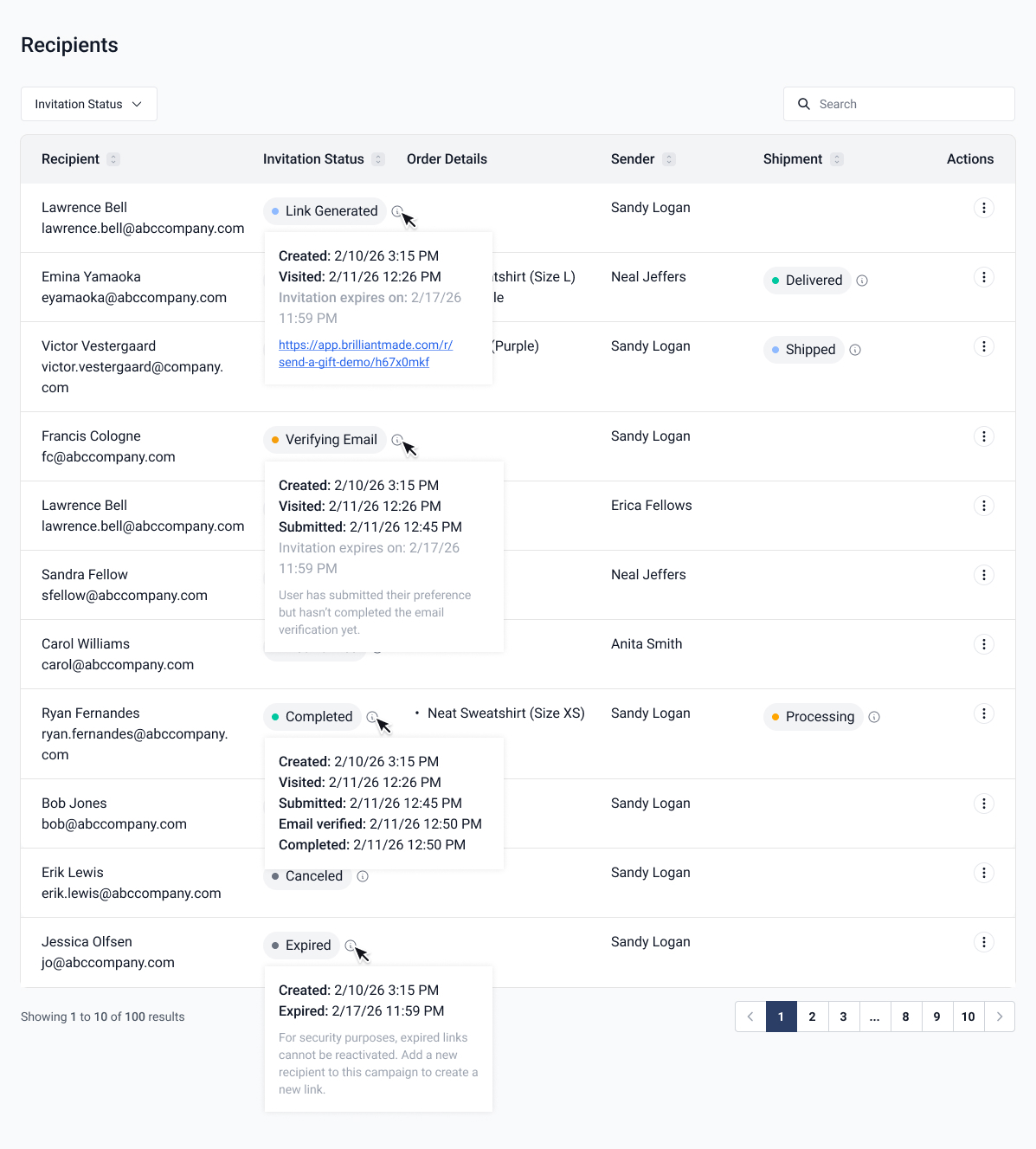
You can see the email verification status for a recipient at any time under the Recipients section of the Preferred Gift in your dashboard. You also have the ability to resend the email to a recipient.
Email verification is a great way to incorporate additional controls to your Campaign. Reach out to your Account Manager for help turning this feature on in your existing Campaigns.